Skip to content
Knot Core · Dolibarr module · GPL-3.0

Visual workflows in your Dolibarr. On your premises.

Knot Core links Dolibarr objects into visual workflows: one trigger, typed nodes, execution on your server. GPL-3.0 module, free, no account.

Knot Core 2.13.24GPL-3.0Dolibarr V20–V24Beta
Download
module_knot-2.13.24.zip · 2.5 MB
Knot Core 2.13.24GPL-3.0Dolibarr V20–V24Beta
SHA2568432e7f55eeceef36e055d9d530622984fead0ad4ea657d112c231c8574a3cfb
Download Knot Core

One release, one e-mail, unsubscribe by simply replying. Get notified of releases

What Knot Core does

Two commercial extensions add to Knot Core. Private beta, access on request.

Trigger

A Dolibarr event (invoice validated, third party created, order shipped), a cron schedule or an incoming webhook.

Delay

Wait for a duration, or for a date read on the object: an invoice due date, for instance.

Condition

An expression on the run data. True, carry on; false, stop or branch.

Action

Write into Dolibarr, send an e-mail.
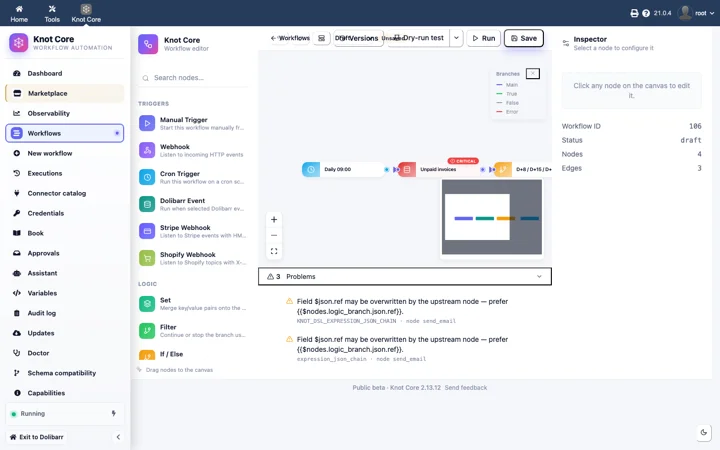
Knot Core editor in Dolibarr: unpaid-invoice reminder workflow, daily trigger, Dolibarr “Unpaid invoices” node, inspector on the right
Knot Core 2.13 · Dolibarr 23 · workflow editor · real screenshot
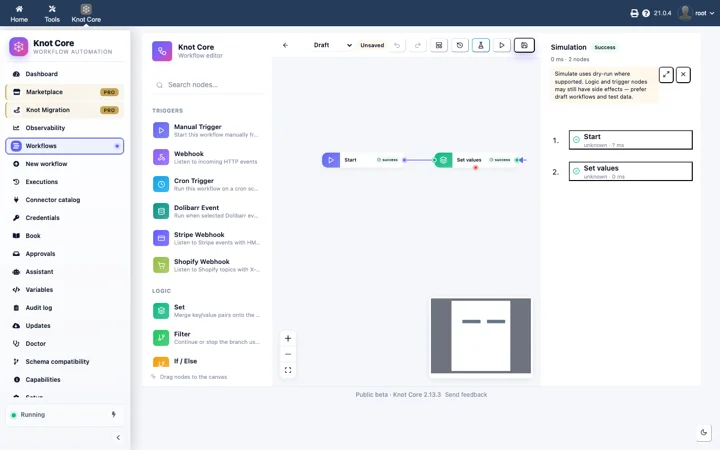
Knot Core Simulation panel: two nodes succeeded, timeline on the right
Dry-run simulation · Knot Core 2.13 · real screenshot
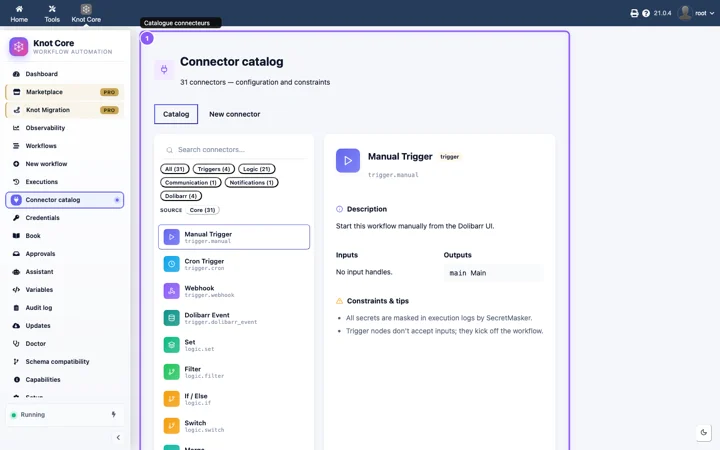
Knot Core connector catalog: type-filtered list, manual trigger sheet
Connector catalog · Knot Core 2.13 · real screenshot
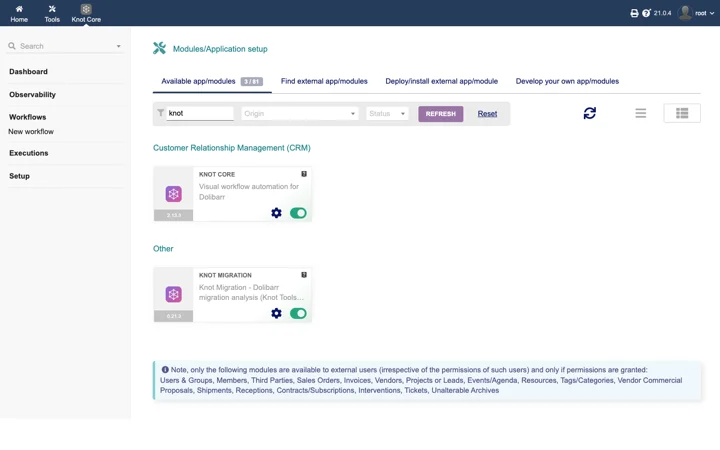
Dolibarr Modules screen with Knot Core enabled
Dolibarr 21 · Setup · Modules · Knot Core enabled · real screenshot
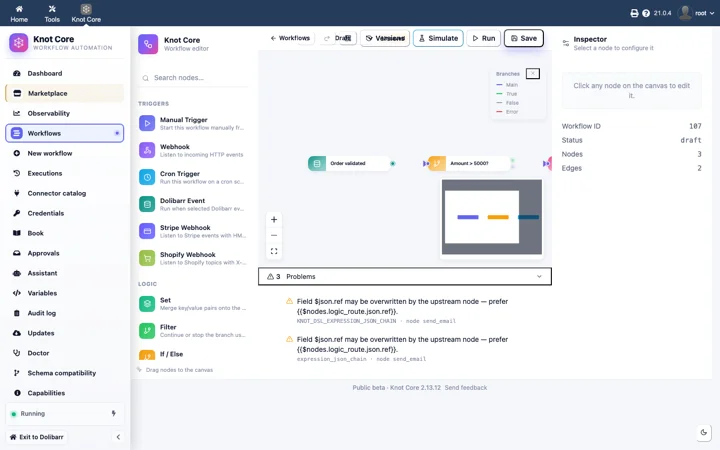
Knot Core editor: customer-order workflow with trigger and action nodes
Knot Core 2.13 · order workflow · real screenshot

Included in Knot Core

Everything needed to automate a Dolibarr without sending anything outside.

Triggers

  • Events on Dolibarr V20–V24 objects: third parties, invoices, proposals, orders, stock, contacts
  • Cron schedule
  • Incoming webhook

Connectors

  • Dolibarr (read, write)
  • E-mail through the Dolibarr SMTP (action.email)
  • Logic

Editor

  • Node canvas, drag and drop
  • Simulation before activation
  • Run tracking
  • Workflow import and export

Security

  • AES-256 encrypted credentials
  • Audit log
  • Dolibarr permissions and multi-entity
  • No telemetry

Install

Three steps, on the existing Dolibarr. The full guide is in the documentation.

  1. Download the module

    The file module_knot-2.13.24.zip, signed and verifiable.

  2. Deploy in Dolibarr

    Home → Setup → Modules/Applications → Deploy an external module, then pick the zip.

  3. Enable Knot

    Enable the module in the list, open the editor and create a first workflow.

Installation guide

Under Core

Two commercial extensions add to Knot Core. Private beta, access on request.

Beta

Pro Pack

SaaS connectors: payments, e-commerce, productivity, communication, premium AI.

Beta

Migration

Audit and cloning of a Dolibarr instance before a version upgrade.